Human Resources: organise your people
Manage employee records, venue assignments, job roles, preferences and unavailability. Keep employment details alongside shift planning.
Bring information about your people and their work into shift planning.

Human Resources, Time Clock and Workers
Plan shifts, share schedules and review attendance. Human Resources, Time Clock and Workers support your team from planning to arriving at the venue.
Get started with CheMangi Explore the team workflowFree registration. Staff management and related features require the relevant plan and access settings.
From manager to team member
Prepare the plan, make published schedules available and review attendance. Each person accesses the features enabled for their role and venue.
Manage employee records, venue assignments, job roles, preferences and unavailability. Keep employment details alongside shift planning.
Bring information about your people and their work into shift planning.
With their own account, staff view published schedules, submit enabled requests and find internal rules and operating guidance.
The account and employee profile must be linked at the venue. Visible sections depend on settings and permissions.
Through Workers, staff manually clock IN and OUT using the browser. Managers review ongoing attendance, completed sessions and outcomes.
Attendance and planned shifts are separate: publishing a schedule does not automatically create an attendance record.
Planning with human review
Set up people, roles, venue opening hours and unavailability. Use templates and planning tools to build the week.
Describe your needs or import a table from Excel, CSV, an image or PDF. Assisted extraction prepares data and shifts for review.
Check names, time slots, roles, overlaps and warnings. Resolve ambiguities before creating or confirming the plan.
Confirmation and publication are separate steps. Publishing makes the plan available in the employee’s schedule.
Workers area
A readable week, planned hours and assigned roles. Staff find their own work context without accessing the venue’s entire management system.
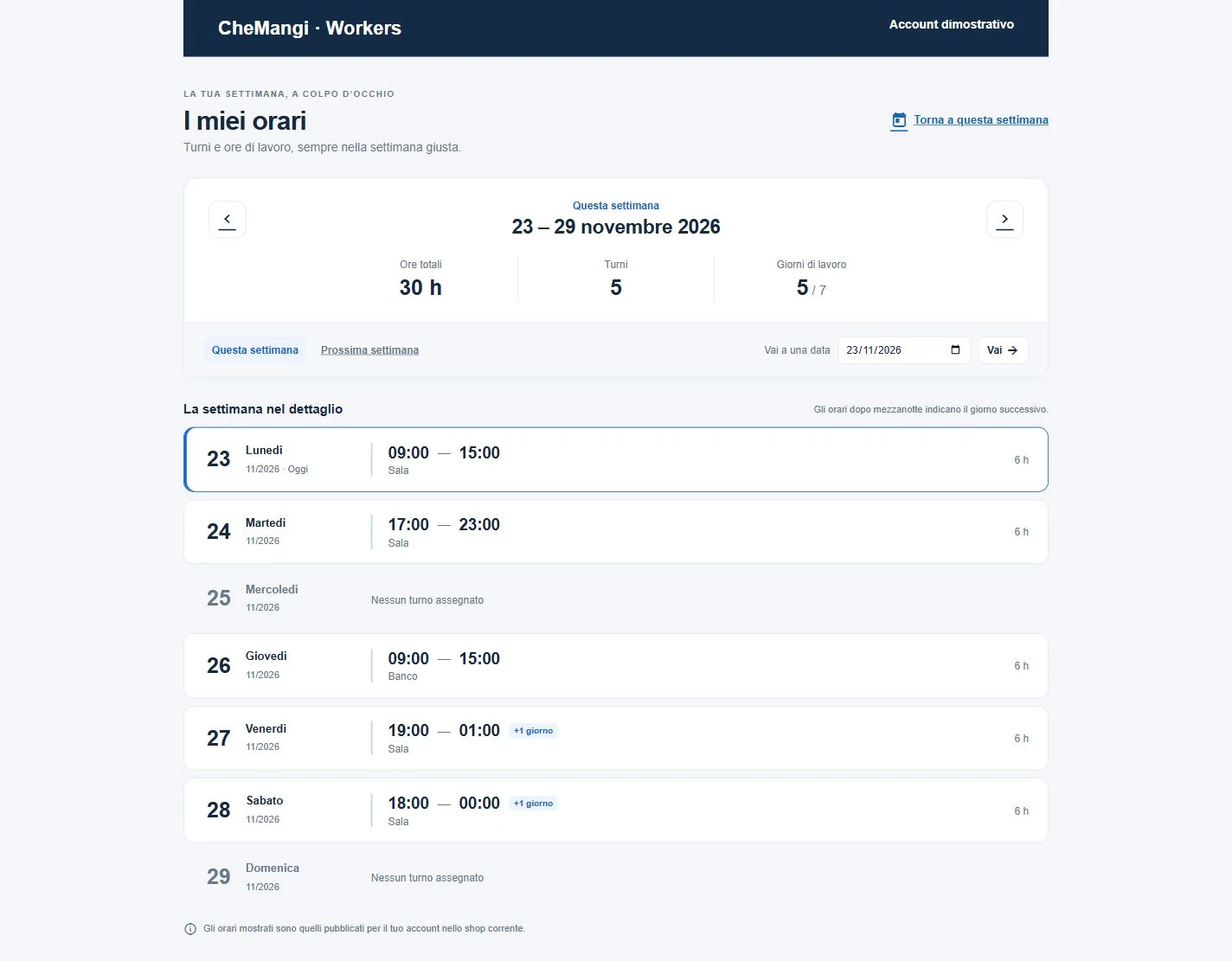
View published schedules, change the week or choose a date. Overnight shifts identify the following day.
Submit requests permitted by the venue’s settings and check their status. Managers review them through Human Resources.
Find the rules made available and answers prepared by the venue. Acknowledgement of the rules relates to the published version.
Where enabled, tick off opening, service/shift handover and closing tasks. Hours and tasks are configured per venue; checklists do not block clocking.
The portal can highlight tasks and information to complete according to configured rules. Shift notifications require enabled channels and sending.
Additional operations, such as closing reports or inventory, appear only with the relevant modules and permissions. The portal follows the venue’s access settings.
Planning tools help organise the week. You review the proposal and choose when to share it with your team.
Time clock and attendance
A web workflow with a configured location, a recording outcome and review tools for managers.
The web time clock requires authenticated access, an enabled venue and a connection. It checks the IN/OUT sequence and flags inconsistent actions.
With location permission, the system checks the distance from the configured workplace. If you are outside its radius, the page shows the outcome and leaves the working state unchanged.
Filter sessions and punches, review durations and outcomes, export the CSV report and use the editing tools available to managers to check records.
Managers configure the location, access and features for the venue. Employees choose when to clock in or out and see the result immediately.
Staff and shifts are included in Gestione Avanzata and Gestione Business. Check the offer for Workers, time clock, planning tools, notification channels and related features, along with profile and location setup.
Registration does not automatically enable all modules. Devices, external services and any integrations have conditions to check.
Explore all solutionsManagers prepare and review the plan, then publish it to Workers. Each employee signs in with their own account to see their schedule, assigned roles and weekly summary.
Yes. Import Excel, CSV, images or PDF files, select the week and review the extraction. The system helps match people and highlights ambiguities and warnings before creating a draft.
Employees submit requests in Workers and check their status. Managers find them in Human Resources, review them and manage the plan. Available request types are selected in the venue settings.
Employees sign in to Workers, open Time Clock and select IN when arriving or OUT when leaving. With their permission, the browser obtains their position and the system checks the distance from the configured location, displaying the result. An Internet connection is required.
The attendance report shows ongoing and completed sessions, clock-ins, clock-outs, durations and outcomes. Filter the data, review and correct records with the manager’s tools, and export a CSV summary.
Yes. Alongside schedules and requests, it can provide internal rules, FAQs and opening, service and closing checklists. Managers configure tasks and enable the operational features their team needs.
Connect shift preparation with your team’s working day. Start with CheMangi and configure people, access and tools for your venue.
Get started with CheMangiHuman Resources, Workers and time clock depend on the plan, access settings and configuration.