Delivery
Bring your menu to your customers’ homes and organise the work before the order leaves your venue.
- Delivery address and contact details with the order
- Configurable delivery radius, timing and charges
- Dedicated statuses through to delivery
CheMangi · Delivery & Takeaway
Direct delivery and takeaway for your venue. From online ordering through preparation to collection or delivery: your team follows every step with CheMangi.
Register your venue See how it worksFor restaurants, pizzerias and venues · Available with the Agenda e Servizi plan
Your venue’s direct channel
Share your venue’s page and receive orders from your online menu. Manage delivery and takeaway in the same environment, with the information each service needs.
Bring your menu to your customers’ homes and organise the work before the order leaves your venue.
Customers order online and collect at your venue. Your team finds products, customer name and collection time in the same workflow.
From request to customer
A clear sequence for the people receiving, preparing and handing over orders. Status changes follow your team’s work, in the Delivery app or Orderman’s Delivery and Takeaway section, where configured.
A new order arrives: check products, customer details and the requested time.
Confirm the request, with the option to postpone the time.
Start preparing. With PrintHub configured, production tickets reach the relevant stations.
The order is ready for the customer or the person making the delivery.
Delivery
After pickup, it moves to Out for delivery, then Delivered / Completed.
Takeaway
Once the customer collects, it moves to Delivered / Completed.
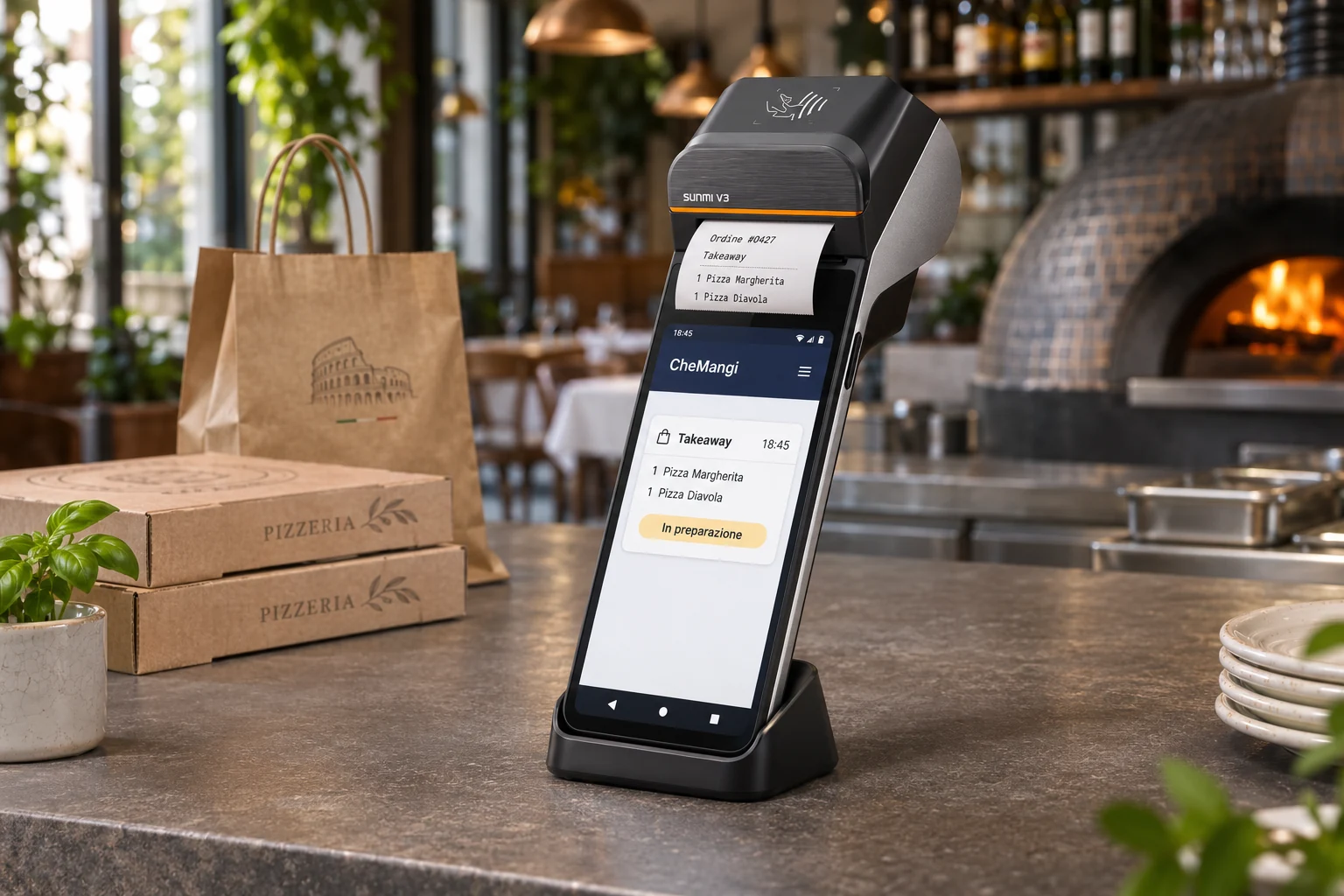
App Delivery · SUNMI V3
The CheMangi Delivery app also supports Sunmi V3: read requests, manage statuses and print the order ticket on the device’s built-in printer.
Sunmi V3 is a dedicated device requiring the app and services enabled for your venue. Order printing supports daily operations; fiscal management is handled by Merxy in the supported configuration.


Compatible with the Merxy ecosystem
Merxy is the fiscal management system for CheMangi and CheCompri. For delivery and takeaway, the checkout and PrintHub connection supports the move from order ticket to bill, according to the features enabled at your venue.
When an order is ready, bring it into the supported checkout workflow to prepare the bill.
With PrintHub configured, complete order tickets and production tickets follow your venue’s printing destinations.
Merxy handles fiscal connections and compatible devices according to the enabled configuration.
Merxy, Orderman, PrintHub, hardware and fiscal connections require dedicated configuration and terms. They are not automatically included in the delivery and takeaway web plan.
Tools for your service
Menu, timing, deliveries and communications follow your shop settings. Choose how to work according to your enabled services.
Customers browse your products and submit requests through your venue’s direct channel.
Configure availability, lead times and time slots to organise takeaway and deliveries.
Set your service radius and charges. Delivery details stay linked to the order.
The app signals new arrivals and distinguishes pending requests from orders already being prepared.
Where configured, the workflow can use WhatsApp for service updates. Channel costs are separate.
Review orders and statistics in the management area to understand delivery and takeaway activity.
Activation and services
Start with free Agenda Start. Direct delivery and takeaway are available in the Agenda e Servizi plan and higher plans. Check the current comparison to choose the right solution for your venue.
Devices, Merxy and external services have separate terms. Free registration does not automatically activate paid services.
The two services can be enabled and configured for your shop. The app shows controls for the services available at your venue.
Customers order from your venue’s public CheMangi page. Where configured, you can also enter delivery and takeaway orders through Orderman using the same operational workflow.
Yes. The CheMangi Delivery app manages orders and prints order tickets using the built-in Sunmi printer. The device, installation and services must be configured for your shop.
Merxy is the fiscal management system for CheMangi and CheCompri. The supported connection integrates the checkout workflow, PrintHub and compatible fiscal devices, with dedicated configuration and terms.
Your venue organises its delivery service. CheMangi keeps the address, contact details and time with the order; your team follows its progress from pickup to delivery.
No. The Agenda Start foundation is free; direct delivery and takeaway are part of Agenda e Servizi and higher plans. Hardware, Merxy, PrintHub and external service costs are assessed separately.
Give your venue a direct delivery and takeaway channel and your team a clear workflow to manage it.
Register your venueCreate your venue’s account and choose the services to activate in the management area.