Complete agenda
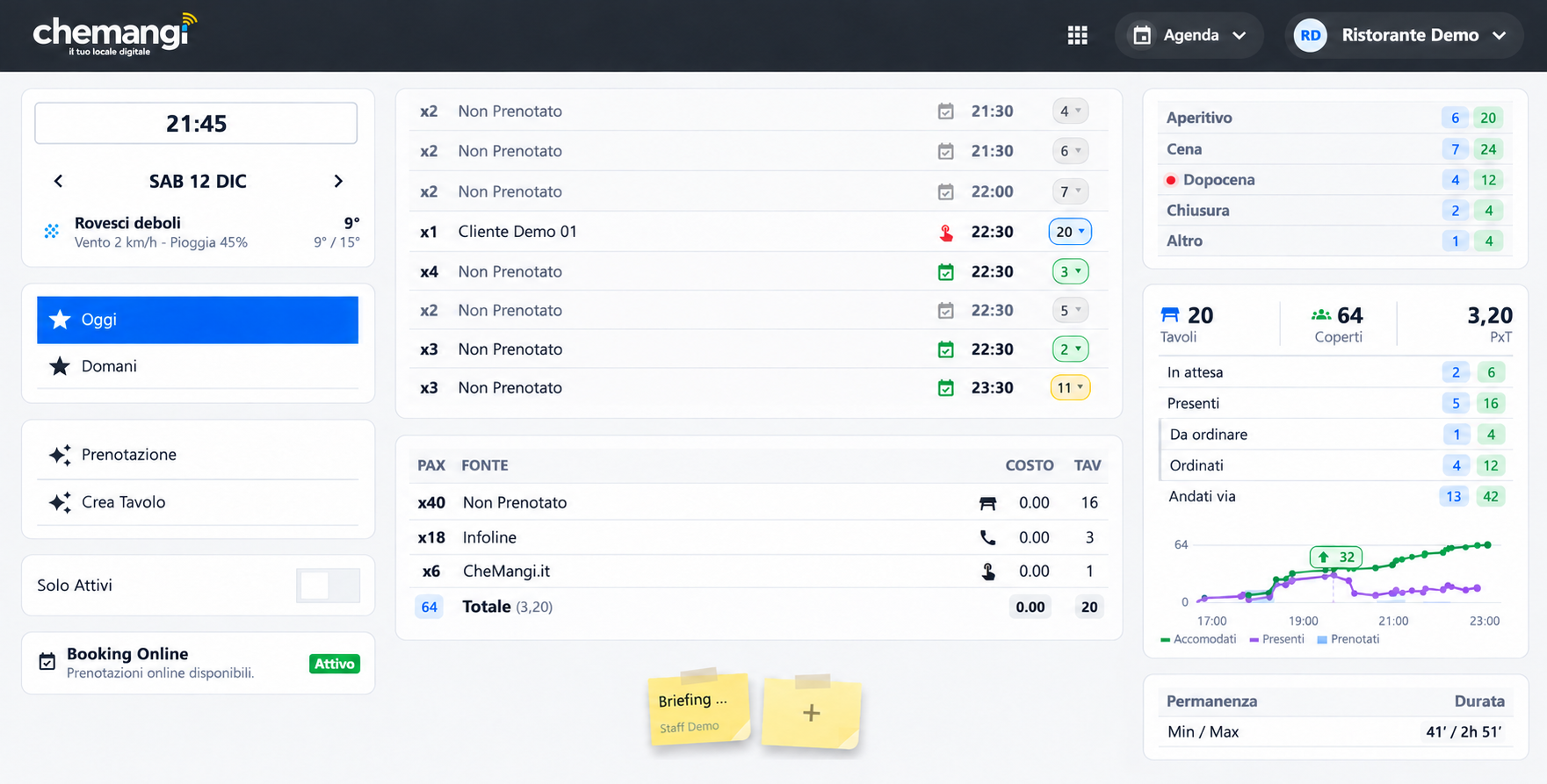
Organize bookings, tables, covers, times and notes. Follow arrivals and service statuses in a shared view.
CheMangi · Agenda Start
Bookings, tables and customers in one place. Receive online requests and prepare service with the information you need at hand.
Activate your free agenda See what is includedFree forever · No commission on direct bookings
Who is coming, when and how many guests: the team finds booking context in the same Agenda, from waiting and arrival through the end of service.
For restaurants, pizzerias, bars and venues that want to organize daily operations. Start with Agenda Start and add services when your venue needs them.
Organize bookings, tables, covers, times and notes. Follow arrivals and service statuses in a shared view.
A dedicated page on your CheMangi subdomain brings requests straight into the Agenda, with no booking commission.
Find information collected through bookings and identify the channels that bring requests.
Review covers, tables and service trends to understand your venue’s operations.
Record cash, card payments and daily closings, and compare takings with service figures.
Keep using the Agenda for free and decide later whether to add direct orders, inventory, staff or other modules.
Start by registering the owner and follow the phone verification steps in the activation process.
Complete your profile and configure the Agenda and online booking settings.
Add bookings and share your venue page to receive online requests.
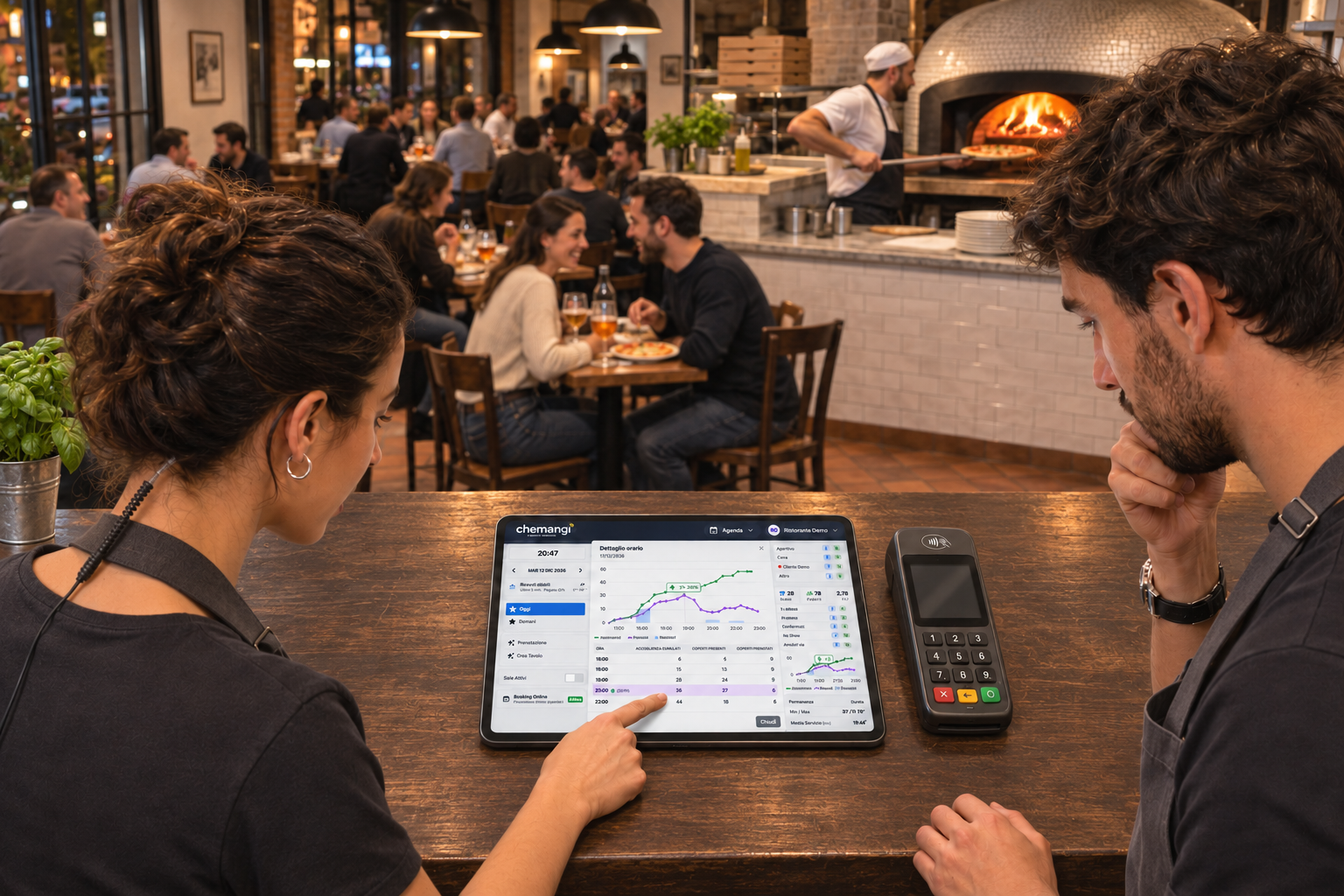
The hourly detail compares seated guests, guests present and bookings to show how attendance changes during service.
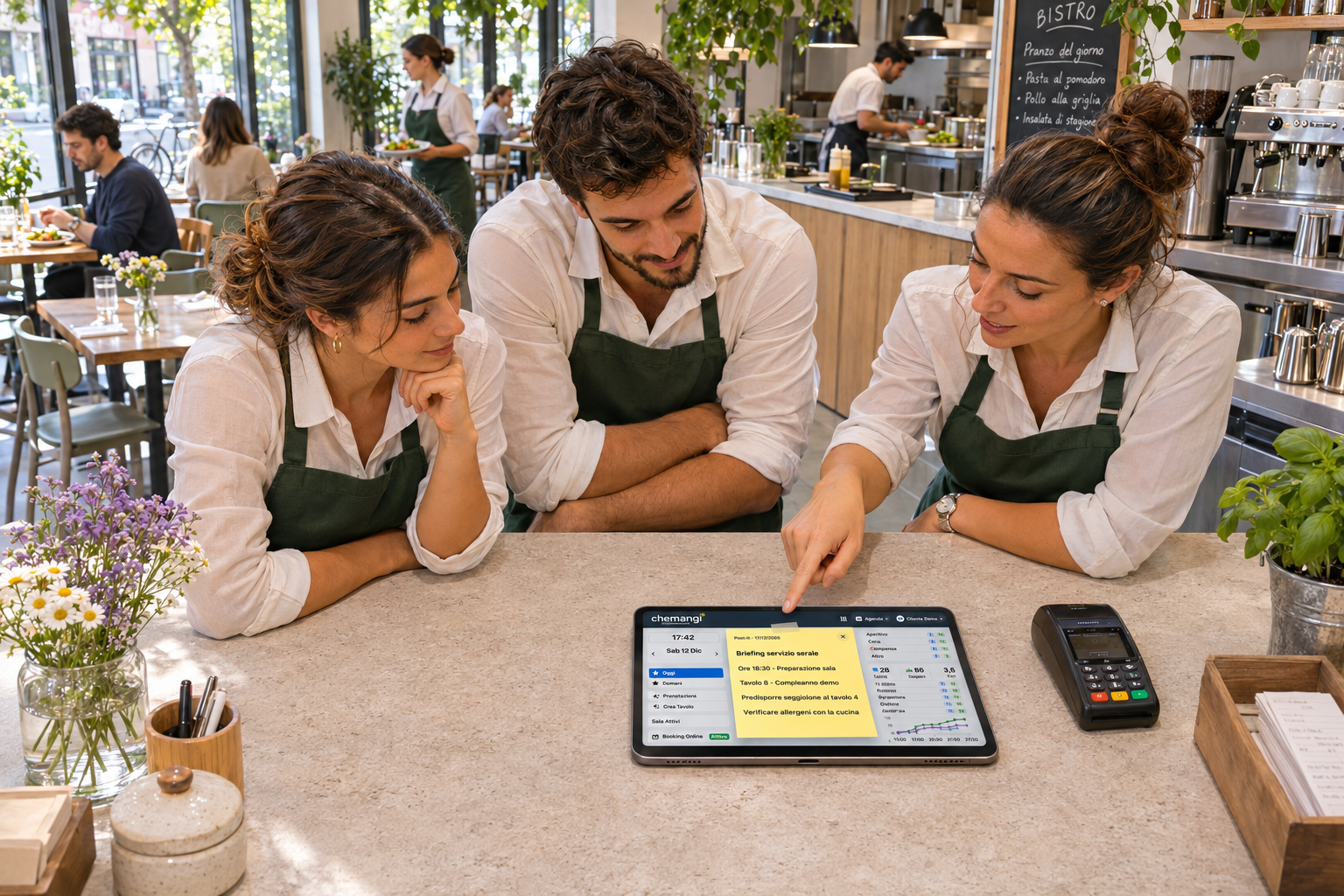
Daily sticky notes bring reminders and practical instructions together, ready to review before guests arrive.
Yes. Agenda Start includes the complete Agenda, online bookings, customers and sources, basic analytics and daily takings. Additional packages are optional.
No. Direct bookings received through the venue page have no per-booking commission.
Usage costs for WhatsApp, SMS and other external services are separate. The switchboard and Merxy integration are dedicated services with their own setup and terms.
No. You can keep using free Agenda Start. Choose a paid package only when you want additional features.
Access the management area and complete the initial venue setup. The process helps you prepare the Agenda and online booking page.
Activate the free Agenda and bring bookings, customers and venue figures together.
Register your venue for freeAgenda Start is free. Additional services are selected separately.